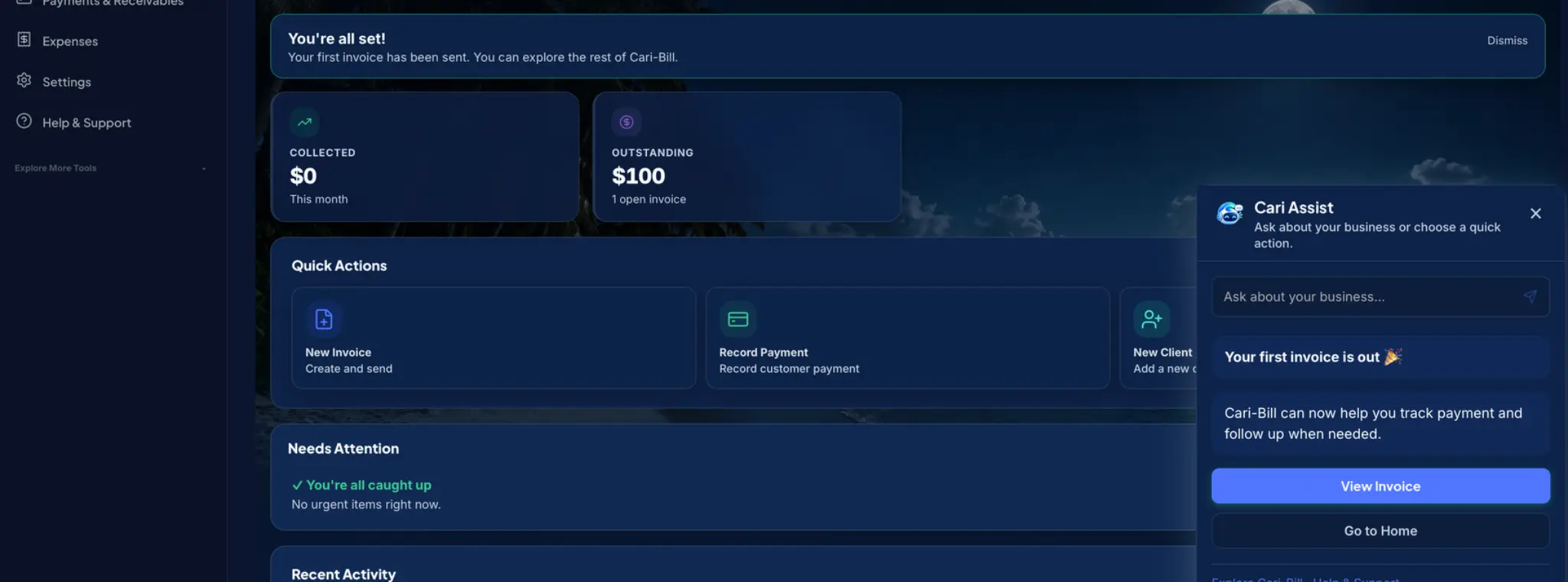
CARI ASSIST
Ask instead of searching.
Get guided through your first customer and invoice, then ask who owes you, what is overdue, or how the month is going.
Meet Cari Assist →
Invoice. Get paid. Know who still owes you.
Create a professional invoice in under a minute, send it by WhatsApp, give your customer a way to pay, and keep every balance in one clear place.
First invoice, fastNo complicated setup
Send on WhatsAppShare where customers reply
Add payment linksUse your approved provider
See who owes youPaid, due and overdue
Start with the jobs that matter today. Cari Assist helps you discover the rest when you are ready.
Get guided through your first customer and invoice, then ask who owes you, what is overdue, or how the month is going.
Meet Cari Assist →Share a professional invoice through WhatsApp without losing the organised record inside Cari-Bill.
See WhatsApp invoicing →Add your supported provider’s payment link so the customer can continue from the invoice to the provider’s secure page.
How payment links work →See paid, pending and overdue invoices together, including partial payments and remaining balances.
Explore payment tracking →Your first invoice can be ready today.Start with the essentials. No accounting maze.
Start free — no card →One simple flow keeps the invoice, payment option, receipt and remaining balance connected.
Add the customer, items, tax and terms. Your professional invoice is ready in minutes.
Share the invoice through the channel your customer already checks.
The customer can continue to your selected provider’s payment page when a link is added.
Record full or partial payment and see what is settled, due or overdue.
Add a payment link from your supported payment provider to a Cari-Bill invoice. When your customer opens the invoice, they can continue to your provider’s secure payment page instead of asking how to pay.
Cari-Bill keeps the details together so you can answer the questions that slow down getting paid.
Keep invoices, payment records, receipts and balances connected to the right customer.
Keep payments organised →Send through WhatsApp while keeping the official invoice and its status in Cari-Bill.
Send without losing track →See due and overdue balances at a glance instead of rebuilding a list from messages and spreadsheets.
See the invoicing workflow →Choose your country, currency and tax settings at signup, then invoice customers using the channels and payment options that fit your business.
Cari-Bill protects accounts, access and business records with security controls designed for real operational use.
No setup fees. Cancel anytime. All plans include a 14-day free trial with no credit card required.
For smaller businesses getting organised with professional invoicing.
For growing businesses that need loyalty, scanning and unlimited volume.
For teams that need multi-user access and deeper operational control.
Prices are shown in Trinidad & Tobago dollars. Save 15% when you pay yearly. Contact support to confirm billing or renew.
Cari-Bill is a Caribbean-built platform for invoicing, payment tracking, customer management, expenses, loyalty and business reporting—designed for small businesses that want to get paid faster and stay organised.
Start with a 14-day free trial. No credit card is required. When your trial ends, upgrade to a paid plan or contact us to discuss your options.
Yes. Share invoices and documents through WhatsApp and email so customers receive clear, professional records—not unstructured chat messages.
Your account is configured with country-specific currency, tax and localisation settings based on the country you choose at signup. Website plans are shown in TTD for Trinidad & Tobago and rounded USD pricing for every other country.
Yes. Your invoices, clients and payment data are isolated inside your workspace and are not shared with other Cari-Bill customers.
Email support@cari-bill.com or WhatsApp 868-731-9172 to upgrade, renew or discuss which plan fits your business.
Yes. Enable MFA from your account settings to add an extra layer of protection to your login.
Yes. You can add a payment link from your supported payment provider so customers can continue from the invoice to that provider’s secure payment page. The provider—not Cari-Bill—processes the transaction and controls availability, approval, fees, refunds, disputes, chargebacks and settlement. Cari-Bill does not receive or hold customer funds.
Tell us about your business and we’ll help you get set up—or jump straight into your free trial.
INVOICING MADE EASYCreate your account and send your first professional invoice in minutes.